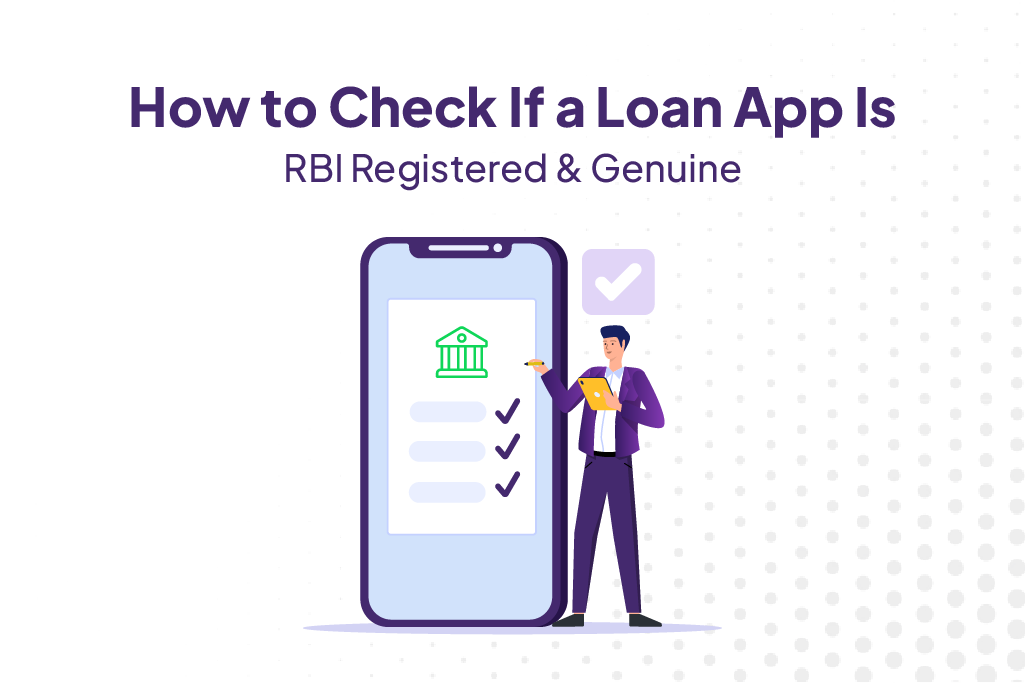
With hundreds of loan apps available today, it can be difficult to distinguish genuine lenders from fraudulent ones. Applying through an unverified loan app may expose borrowers to hidden charges, data misuse, and unethical recovery practices. Before sharing personal information or applying for a loan, it is important to verify whether the app is connected to an RBI-regulated lending entity.
Taking a few minutes to verify a lender can help you avoid financial risks and ensure a safer borrowing experience. RBI-registered lenders are required to follow regulatory guidelines related to transparency, fair lending practices, and customer protection. By confirming a loan app’s legitimacy in advance, borrowers can make informed decisions and reduce the chances of falling victim to scams or unauthorized lending platforms.
Why Verifying a Loan App Before Applying Is Critical
Illegal loan apps often operate without proper regulatory oversight and are among the most common personal loan scams in India, exposing borrowers to financial and privacy risks. They can charge excessive fees, misuse personal data, and use aggressive collection tactics. Verifying whether a loan app is associated with an RBI-regulated bank or NBFC helps ensure transparency, fair lending practices, and stronger consumer protection. A few minutes spent checking the lender’s credentials can help borrowers avoid financial and privacy risks. Understanding how to check loan app registered with RBI records can help borrowers avoid fraudulent platforms and choose regulated lenders.
In addition, regulated lenders are generally required to follow RBI guidelines on disclosures, grievance redressal, and customer communication. This means borrowers are more likely to receive clear information about interest rates, repayment terms, and applicable charges before accepting a loan offer.
Step-by-Step: How to Verify an RBI-Registered Loan App
If you are unsure how to verify a loan app, start by checking the lender’s RBI registration, loan agreement disclosures, and customer support information.
Step 1: Identify the Lending Entity
Open the loan app or website and look for the name of the bank or NBFC actually providing the loan. Legitimate apps usually disclose this information clearly.
Step 2: Visit the RBI Website
Go to the official RBI website and access the list of registered NBFCs and regulated entities.
Step 3: Search for the NBFC or Bank
Enter the lender’s name and verify that it appears in RBI’s records. If you cannot find the lending partner, proceed with caution. Borrowers wondering how to check RBI registered loan app status should always verify the lending partner’s name through RBI’s official list of regulated banks and NBFCs.
Step 4: Check the Loan Agreement
Review the loan agreement and Key Fact Statement (KFS). Genuine lenders disclose interest rates, charges, tenure, and repayment details before disbursement.
Step 5: Verify Contact Details
A legitimate lender should provide customer support information, grievance redressal details, and a registered business address.
Step 6: Review App Ratings and Feedback
Check app store reviews and borrower feedback. Repeated complaints about hidden charges, harassment, or unauthorized deductions can be warning signs.
Step 7: Confirm Data Privacy Practices
Review the privacy policy to understand how your personal information will be collected, stored, and used.
Signs of a Fake or Illegal Loan App
| Warning Sign | What It May Indicate |
| No mention of lending partner | Unregulated lending activity |
| Upfront payment demanded before approval | Potential scam |
| Excessive permissions for contacts, photos, or messages | Possible data misuse |
| No customer support information | Lack of accountability |
| Hidden charges and unclear terms | Poor transparency |
| Threatening recovery practices reported in reviews | Illegal collection behavior |
| No loan agreement or KFS provided | Non-compliance with lending norms |
If a loan app displays several of these warning signs, borrowers should avoid using it.
Red Flags vs Green Flags: Quick Loan App Verification Checklist
| Red Flags | Green Flags |
| No disclosure of the bank or NBFC providing the loan | Lending bank or NBFC is clearly disclosed |
| Lending partner cannot be found on RBI’s list of regulated entities | Lending partner is verifiable on RBI’s official website |
| Upfront payment requested before loan approval or disbursal | Charges are disclosed and deducted as per the loan agreement |
| Interest rates, APR, or fees are not clearly mentioned | Interest rates, APR, tenure, and charges are disclosed upfront |
| No Key Fact Statement (KFS) or loan agreement provided | KFS and loan agreement are shared before acceptance |
| Requests unnecessary access to contacts, photos, messages, or call logs | Requests only permissions necessary for loan processing |
| No customer support number, email, or grievance officer details | Customer support and grievance redressal details are available |
| Numerous complaints about harassment or threatening recovery methods | Positive borrower reviews and professional customer support |
| No privacy policy or unclear data usage practices | Transparent privacy policy explaining data collection and usage |
| Loan approval guaranteed without any verification | Proper eligibility checks and verification processes followed |
| Website or app contains spelling errors, fake addresses, or misleading claims | Professional website, clear company details, and verifiable business information |
| Hidden charges discovered after loan disbursal | All fees and repayment terms disclosed before loan acceptance |
Quick Tip: If a loan app shows multiple red flags and fails to disclose its RBI-regulated lending partner, avoid sharing personal documents such as PAN, Aadhaar, or bank account details until you verify its legitimacy.
Signs of a Legal Loan App
- ✓ NBFC partner verifiable on RBI website
- ✓ Key Fact Statement (KFS) provided before loan disbursal
- ✓ Interest rate and all charges disclosed upfront
- ✓ APR (Annual Percentage Rate) mentioned in the loan agreement
- ✓ Grievance redressal officer details available
- ✓ No upfront processing fee demanded before approval
- ✓ Clear privacy policy and customer support channels
- ✓ Transparent repayment and foreclosure terms
Learning how to identify RBI registered loan apps is an important step toward protecting yourself from illegal lenders and unfair lending practices.
Staying Safe: What to Do Before You Borrow
Before applying for any digital loan, verify the lender’s RBI registration, review all charges carefully, read the loan agreement thoroughly, and avoid sharing unnecessary permissions with the app. Compare multiple lenders, check borrower reviews, and ensure that all terms are disclosed before accepting the loan offer. Responsible verification can significantly reduce the risk of fraud. An RBI registered loan app check should be completed before sharing personal documents such as PAN, Aadhaar, or bank account details.
An RBI registered loan app check should also be completed before submitting sensitive documents such as your PAN card, Aadhaar number, or bank account details. Taking a few extra minutes to confirm the lender’s legitimacy can help protect your personal information and prevent financial scams.
Looking for a trusted borrowing option? You can apply for a personal loan from RBI-registered NBFC partners through FatakPay, where lender details, charges, and repayment terms are disclosed upfront for greater transparency.
FAQs on Verifying Loan App Registration
How do I check if a loan app is RBI registered?
Identify the bank or NBFC providing the loan and verify its name on RBI’s official list of regulated entities. Genuine loan apps usually disclose their lending partner clearly.
What is a Lending Service Provider (LSP) and is it legitimate?
A Lending Service Provider (LSP) is a technology platform that assists banks and NBFCs with customer acquisition, onboarding, and loan processing. An LSP can be legitimate if it works with RBI-regulated lending institutions and follows applicable guidelines.
How can I tell if a loan app is fake or genuine?
Check whether the lending partner is RBI-regulated, review the loan agreement, verify customer support details, and watch for warning signs such as hidden charges, upfront fees, or excessive permission requests.
Is it safe to give Aadhaar details to a loan app?
It is generally safe only when dealing with a genuine lender or RBI-regulated lending partner that uses secure verification systems and clearly explains its data privacy practices.
What should I do if I have already used an illegal loan app?
Stop sharing additional information, document all communications, report the issue to the appropriate authorities, and contact your bank if you suspect unauthorized transactions. You should also consider filing a complaint through official consumer protection and cybercrime channels.
| Personal Loans by City | ||||
|---|---|---|---|---|
| Personal Loan Bengaluru | Personal Loan Thane | Personal Loan Mumbai | Personal Loan Hyderabad | |
| Personal Loan Pune | Personal Loan Surat | Personal Loan Coimbatore | Personal Loan Delhi | |
| Personal Loans by Amount | ₹60,000 Personal Loan | ₹3 Lakh Personal Loan | ₹5 Lakh Personal Loan |
|---|
Explore our latest Personal Loan blogs for expert insights, financial tips, and guidance to help you make informed borrowing decisions.