Your CIBIL report contains valuable information about your borrowing history and credit behavior. While many people focus only on their credit score, understanding the complete report can help you identify errors, monitor loan accounts, and improve your chances of future loan approval. Learning how to read your CIBIL report is an important step toward better financial management.
What Is a CIBIL Report?
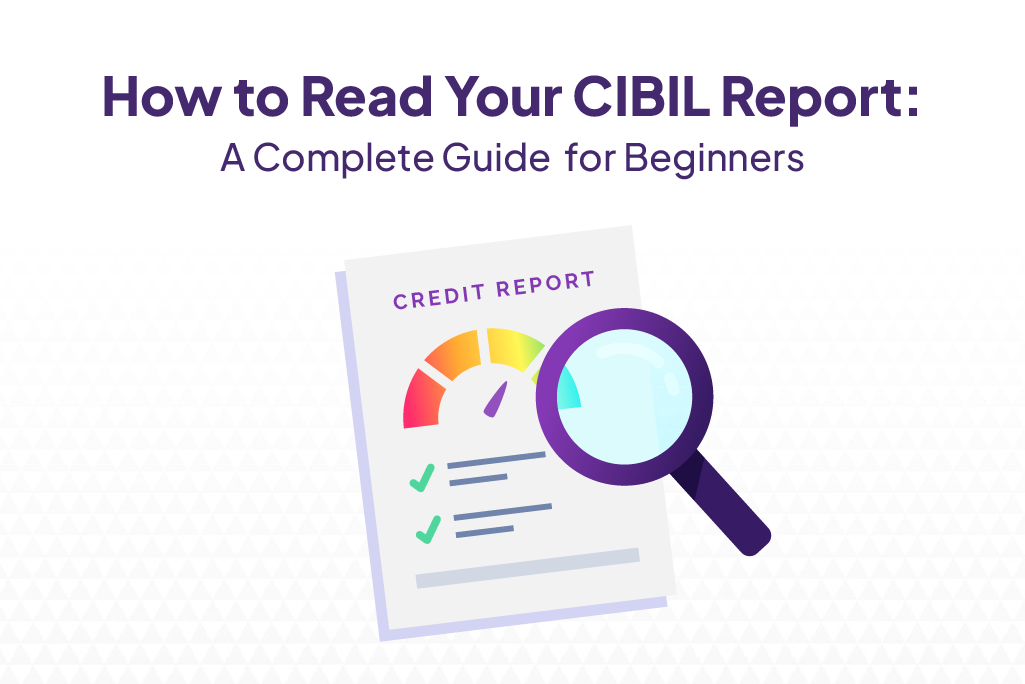
Your CIBIL report is a detailed document containing your full credit history – every loan, credit card, payment, and enquiry in the last 7 years. Generated by TransUnion CIBIL, the report helps lenders assess your creditworthiness before approving loans or credit cards. It includes your CIBIL score, account details, repayment history, and recent credit enquiries. Understanding how to read credit report information correctly can help borrowers identify errors, monitor repayment history, and improve their overall credit health. Understanding how to read your credit report can help you identify reporting errors, monitor your credit health, and improve your chances of getting approved for future loans and credit cards.
How to Download Your CIBIL Report
If you are learning how to read a credit report, focus first on the score, account information, payment history, and enquiry details, as these are the sections lenders review most closely.
Step 1: Visit the Official CIBIL Website
Go to the TransUnion CIBIL website and choose the option to access your credit report.
Step 2: Register or Log In
Create an account using your personal details if you are a new user, or log in to your existing account.
Step 3: Verify Your Identity
Provide details such as PAN, date of birth, and contact information for verification. You can also check your CIBIL score free with PAN card while accessing your credit report through authorized platforms.
Step 4: Access Your Report
Once verification is completed, you can view and download your CIBIL report.
Step 5: Review the Report Carefully
Check all sections of the report to ensure the information is accurate and up to date.
6 Key Sections of Your CIBIL Report Explained
Section 1: CIBIL Score
The CIBIL score appears at the top of the report and ranges from 300 to 900. It provides a quick summary of your creditworthiness. Generally, a score above 750 is considered good and may improve loan approval chances. Many consumers want to know how to read CIBIL score, and the first step is understanding that scores closer to 900 generally indicate lower credit risk. Knowing how to read CIBIL score report details can help you understand which factors are positively or negatively influencing your creditworthiness.
Section 2: Personal Information
This section contains details such as your name, date of birth, PAN, Aadhaar, and identification information. Carefully review this section for errors because incorrect personal details can create issues during loan processing.
Section 3: Contact Information
Your current and previous addresses, mobile numbers, and email IDs appear here. Ensure the information is updated and accurate because lenders may use these details during verification.
Section 4: Employment Information
This section may contain employment details reported by financial institutions, including whether you are salaried or self-employed. Some reports may also include income-related information provided during credit applications.
Section 5: Account Information
This is the most important section of the report. It contains details of every active and closed loan or credit card account, including outstanding balances, repayment history, overdue amounts, credit limits, and account status. Lenders pay close attention to this section when evaluating loan applications.
Section 6: Enquiry Information
Every time you apply for a loan or credit card, the lender performs a hard inquiry. This section shows all hard inquiries made during the last two years, including the lender’s name and the date of the inquiry. Multiple recent inquiries may indicate higher credit dependency.
How to Read the Account Information Section
The Account Information section provides detailed information about all your credit accounts. Understanding each field helps you identify errors and monitor repayment behaviour.
| Column | What It Means |
| Member Name | Name of the bank or NBFC that issued the loan or credit card |
| Account Type | Type of credit such as Personal Loan, Credit Card, Home Loan, etc. |
| Ownership | Indicates whether the account is Individual, Joint, or Guarantor |
| Date Opened | Date when the loan or credit card account was opened |
| Date of Last Payment | Most recent EMI or credit card payment date |
| Current Balance | Outstanding balance currently owed |
| Amount Overdue | Amount that remains unpaid beyond the due date |
| DPD (Days Past Due) | “000” means payments are on time; any other number indicates days of delay |
The DPD field is particularly important because it directly reflects your repayment discipline and can significantly affect your credit score.
Red Flags to Look for in Your CIBIL Report
Use this checklist when reviewing your report:
- Incorrect name, PAN, or personal information
- Duplicate loan or credit card accounts
- Closed accounts reported as active
- Incorrect outstanding balances
- Unrecognized credit accounts
- Unauthorized hard inquiries
- Overdue amounts that have already been paid
- Incorrect DPD entries
- Suit Filed status reported against any loan account (If you are unsure what it means, understand what is CIBIL suit filed status and verify whether the information has been reported correctly.)
If you identify any discrepancies, learn how to correct errors in your CIBIL report by raising a dispute with CIBIL and submitting the required supporting documentation. Learning how to read credit score report data regularly can help you track changes in your credit profile and spot potential issues before applying for a loan.
FAQs on How to Read CIBIL Report
What are the 6 sections of a CIBIL report?
The six key sections are CIBIL Score, Personal Information, Contact Information, Employment Information, Account Information, and Enquiry Information.
What does DPD 000 mean in CIBIL report?
DPD 000 indicates that all payments were made on time and there were no overdue amounts during that reporting period.
What is the password to open a CIBIL report PDF?
The PDF password format may vary depending on how the report was downloaded. CIBIL generally provides password instructions when the report is generated.
How do I check if there is an error in my CIBIL report?
Review personal details, account information, balances, payment history, and enquiries carefully. Any incorrect or outdated information should be disputed with CIBIL.
How often is the CIBIL report updated?
Most lenders update credit information monthly. Changes may typically appear in your CIBIL report within 30 to 45 days after being reported by the lender.
| Personal Loans by City | ||||
|---|---|---|---|---|
| Personal Loan Bengaluru | Personal Loan Thane | Personal Loan Mumbai | Personal Loan Hyderabad | |
| Personal Loan Pune | Personal Loan Surat | Personal Loan Coimbatore | Personal Loan Delhi | |
| Personal Loans by Amount | ₹60,000 Personal Loan | ₹3 Lakh Personal Loan | ₹5 Lakh Personal Loan |
|---|
Explore our latest Credit Score blogs for expert insights, financial tips, and guidance to help you make informed borrowing decisions.